C07.05
Wrap up, sync and follow up
Pick the decision, check what the site still needs before we return, get it signed, and sync. The report lands on the job's Opportunity with a note and one follow-up task. The next walk carries every item forward.
- Finish the wrap-up and get the report signed
- Sync to CRM and know exactly what lands there
- Run a follow-up walk that shows before and after
Wrap-up
- 01Decision
Repair the listed items, Recoat the entire area, Accept as-is, Monitor and revisit, or Warranty review.
- 02Summary
"Use suggested wording" writes it from your items. Edit it to say what happened, what we will do and what we need from the site.
- 03Required before Maverick returns
Permanent lighting, climate control, area clear of other trades, slab clean and dry, power, protection after install — Met, Not met or N/A. Anything Not met is called out in the report and the CRM note. Add your own if the job needs it.
- 04Sign-off
You sign for Maverick; the customer's person signs with their name and company. Their signature confirms they received the report and saw the items — it does not, by itself, assign or accept responsibility for any item.
- 05Follow-up task
On by default. Leave it on.
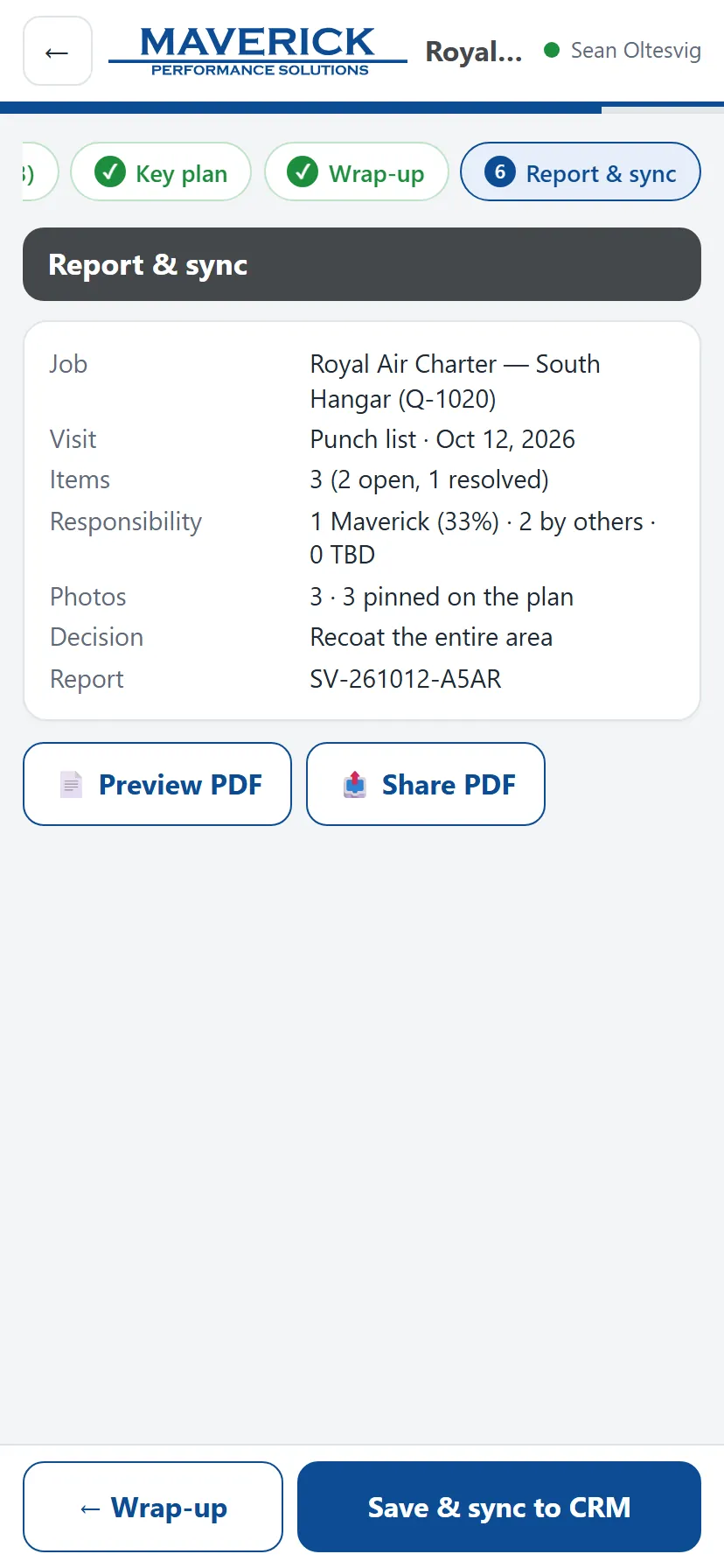
Report & sync
- 01Fix before syncing
Anything listed in red must be fixed first — for example an item with no location. Tap it to go straight there. Heads-up items are warnings only.
- 02Preview PDF / Share PDF
Share sends the PDF from your phone by text or email right there on site.
- 03Save & sync to CRM
Checks the job, attaches the report PDF and the visit data, adds a note, and creates or updates the follow-up task. Keep the app open until it shows the green tick.
- 04Changed something after syncing?
Sync again. The report goes up as Rev 1, Rev 2… and the same task is updated.
The follow-up task
| Rule | What the app does |
|---|---|
| When | Only when there are open Maverick items (and the task switch is on). |
| Due | The earliest due date on an open Maverick item, otherwise 7 days after the visit. |
| Priority | Highest if an open Maverick item is Safety, otherwise High. |
| Who gets it | The person who synced if they are a CRM user; otherwise the owner of the job in CRM. |
| Closing | A later sync with no open Maverick items closes it as "Punch list closed". |

Takeaways
- Sync puts the PDF, the visit data, a note and one follow-up task on the job's Opportunity — nothing else.
- The task is only for open Maverick items. It is updated on every re-sync and closed when nothing of ours is left.
- Start follow-up walk carries every item forward with its photos. Mark what is fixed and add after photos.