C07.04
Log the items
Camera first: snap the problem, tap where it is, what it is and who owns it, then Save + next opens the camera again. The area, category, owner and priority carry over, so a long walk goes fast.
- Log an item from the camera in under a minute
- Mark up a photo so the problem cannot be missed
- Put every item down with the right owner, priority and status
One item
- 01New item
The camera opens. Take the photo. No photo for this one? "+ No photo". A photo already on the phone? Use Library.
- 02Mark up
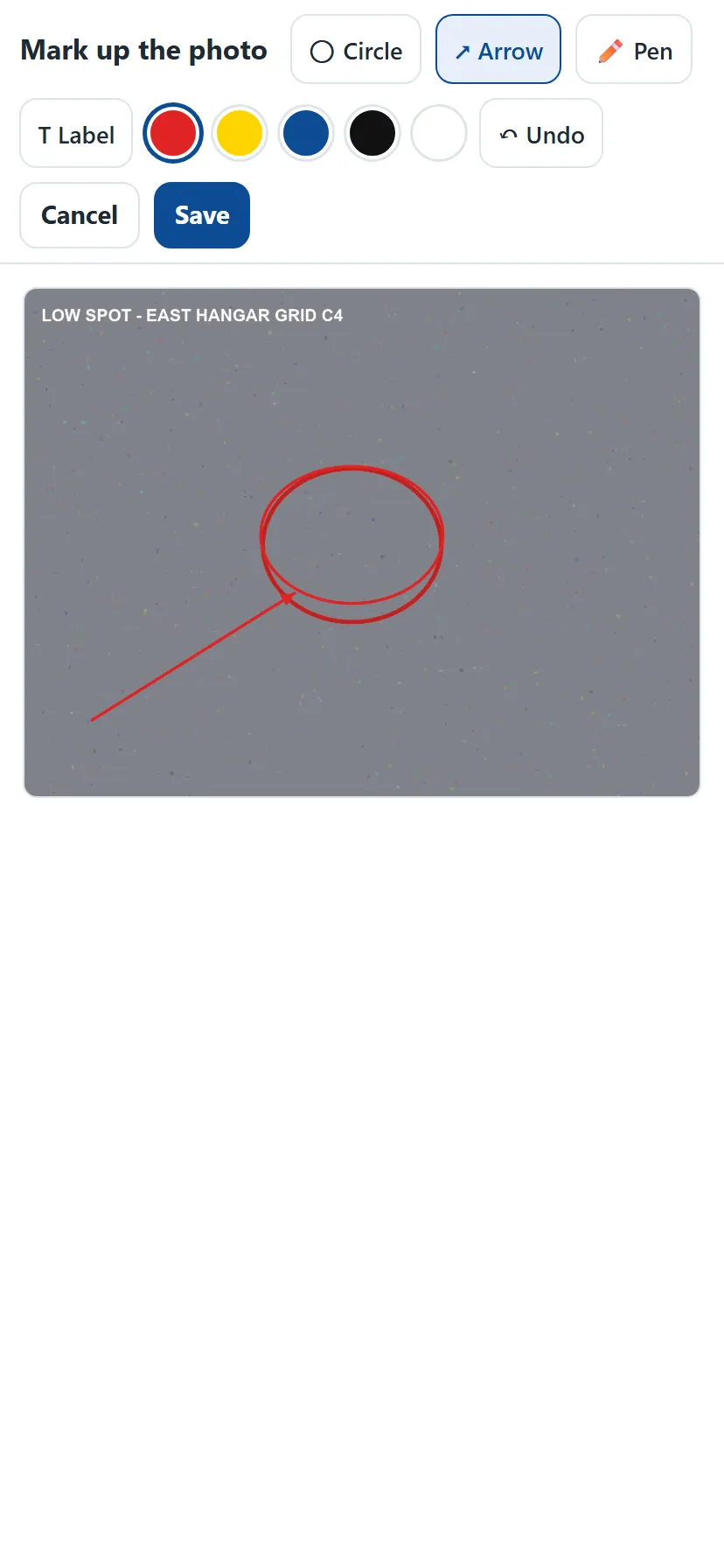
Circle, Arrow, Pen or Label, five colours, Undo. Save keeps the marks on the report photo.
- 03Where
Tap the area, then type the spot ("Grid C4", "by the north door"). Recent spots are one tap.
- 04What
Pick the category — Finish, Joints & cracks, Cove & edges, Drains & slope, Substrate, Damage by others, Site & safety — then the issue. Add a note in your own words.
- 05Who owns it
Maverick, GC, Other trade (name the trade), Owner, or TBD when you cannot tell. The office settles TBD.
- 06Priority and action
Safety, High, Normal or Cosmetic. The fix: Spot repair, Sand & recoat area, Grind & patch, Recoat entire area, Clean, Other trade to repair, Monitor or No action. Pick a due date if there is one.
- 07Status
Open, In progress, Resolved or Not our scope. Resolved asks for an after photo.
- 08Maverick response
On a Maverick item, write what we will do. It prints next to the item.
- 09Save + next
The camera opens for the next item with the area, category, owner, priority and action carried over. Change the category and the carried action clears.
Get the owner right
- Not this
Putting a GC's forklift gouge down as a Maverick item to keep the peace.
ThisDamage by others — GC. Photo it. The report shows the split on page one.
- Not this
Guessing at an owner you are not sure of.
ThisTBD, with a note on what you saw. The office decides.
- Not this
Logging cove base as ours when the scope excluded it.
ThisNot our scope — the exclusion is on the Job screen and on the report.


Takeaways
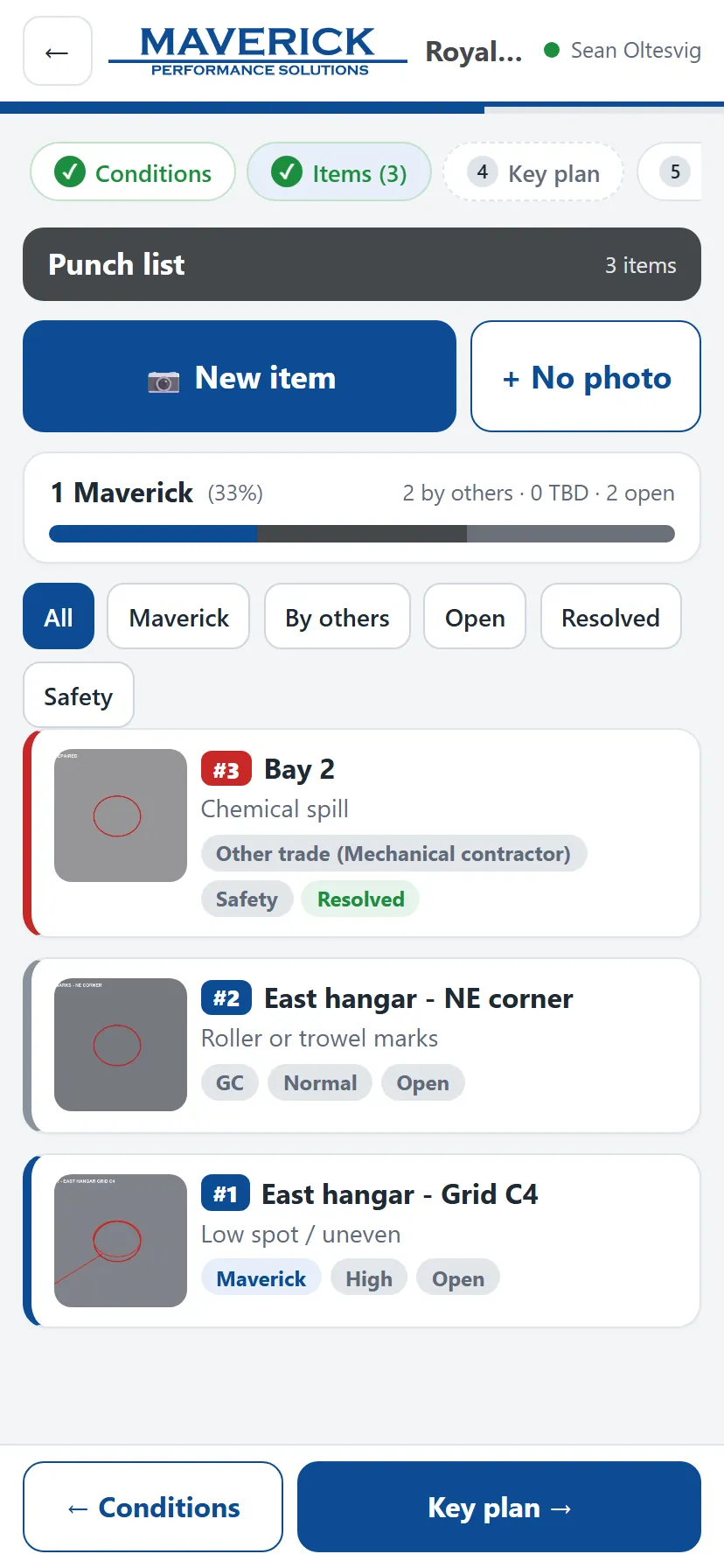
- New item opens the camera. Save + next saves and opens it again for the next one.
- Every item needs a location and an issue (or a note). The report is only as good as the owner you put down.
- Safety items get a red badge and make the follow-up task top priority.